
Moto Road Rash 3D Unblocked — Play Free Online
More Driving games



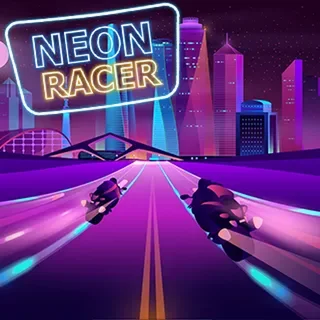
Moto Road Rash 3D unblocked: play Moto Road Rash 3D online free right here in your browser — no download, no sign-up, works on a school Chromebook.
What is Moto Road Rash 3D?
Moto Road Rash 3D is a three-dimensional motorcycle driving game where you pilot a motorbike at highway speeds through dense multi-lane traffic. You balance high velocity against tight reaction windows, squeezing through narrow gaps between cars, vans, and commercial trucks. While traditional racing titles focus on closed circuits and lap times, Moto Road Rash 3D puts all the pressure on split-second survival and obstacle avoidance on open asphalt. The game runs directly in your web browser with no download or setup required.
Key features
- Highway traffic navigation: Weave past oncoming and same-direction sedans, buses, and freight trucks across multiple asphalt lanes.
- Dual control layouts: Steer, brake, and accelerate using either standard Arrow keys or the WASD keys.
- Instant restart loop: Reset a failed attempt immediately with a single keypress to jump straight back into the action.
- High-speed risk reward: Pushing closer to top speed shrinks your braking margins while demanding faster visual reads.
- Browser-based performance: Lightweight 3D rendering that launches smoothly in standard desktop browsers without dedicated hardware.
How to play
- Click the play button to launch Moto Road Rash 3D in your browser frame.
- Press the Up Arrow or W key to accelerate down the open highway lane.
- Watch the road ahead to identify slower commuter cars and sudden lane shifts.
- Tap the Left and Right Arrow keys or A and D to steer cleanly through gaps in vehicle traffic.
- Use the Down Arrow, S key, or Spacebar to brake quickly when obstacles block your immediate path.
- Continue surviving at high speeds to push your distance record before an unavoidable collision ends the ride.
Controls
| Action | Keyboard |
|---|---|
| Accelerate | Up Arrow or W |
| Steer Left or Right | Left or Right Arrow or A or D |
| Brake or Reverse | Down Arrow or S |
| Handbrake | Spacebar |
| Restart Run | R |
Traffic flow and collision mechanics
Moto Road Rash 3D tests spatial awareness through dense road traffic. Vehicles travel at varying speeds across multiple lanes, creating shifting pockets of open space that close rapidly as your speedometer climbs. Because stopping distance increases with velocity, late braking often causes a wipeout. Successful runs rely on forward scanning: reading two or three car lengths ahead rather than focusing solely on the vehicle directly in front of your wheel.
Positioning on the roadway dictates your emergency escape routes. Riding near the center lane divider keeps exit paths open on either side, whereas hugging the outer guardrails cuts dodging options in half when traffic clusters together.
Tips and strategy
- Ride the lane dividers: Gliding along the dashed line gives you immediate room to swerve into either adjacent lane whenever a vehicle unexpectedly slows down.
- Ease off full throttle early: Releasing the gas before approaching clustered traffic reduces forward momentum and widens your reaction window without locking up the brakes.
- Scan the horizon: Direct your eyes toward the vanishing point of the road so you can spot large trucks and tight blockades seconds before they reach your front tire.
- Avoid late panic braking: Sudden braking at top speed shortens steering response; small steering adjustments around vehicles preserve balance and control far better than desperate skids.
Versions and similar games
If you want more reflex challenges on Tunnel Rush 2, several companion titles share a similar focus on hazard dodging. Tunnel Rush places you inside a swirling geometric tube to dodge barriers at high velocity. Slope shifts the action to an accelerating sphere rolling down steep rooftops. Super Tunnel Rush elevates the tunnel format with boosted track speeds and tight banking turns.
Questions about Moto Road Rash 3D
Is Moto Road Rash 3D unblocked at school?
Moto Road Rash 3D runs in an ordinary browser tab from tunnelrush2.app, with nothing to download or install, so it plays on most school Chromebooks and work computers. If a network filter blocks the site, only that network's administrator can change it.
What are the primary controls for Moto Road Rash 3D?
You can control your motorcycle using the Arrow keys or WASD to accelerate, steer, and brake. Press the Spacebar to apply the handbrake, and press R to restart a run immediately.
Can you play Moto Road Rash 3D with two players?
No, Moto Road Rash 3D is a single-player motorcycle driving game focused on personal high scores and dodging highway traffic.
Does Moto Road Rash 3D run on Chromebooks and laptops?
Yes, the game runs directly inside standard modern desktop and laptop web browsers without needing external downloads or plugins.
How long does a typical run last in Moto Road Rash 3D?
A typical run lasts from under a minute up to several minutes, depending on how skillfully you anticipate traffic and avoid collisions at high speeds.
More games
 Car Rush
 Go Kart Go! Ultra!
 Adventure Drivers
 Rocket Soccer Derby
 Highway Traffic
 Minicars Soccer
 Eggy Car
 Flying Car Simulator
 Drive Mad
 Blumgi Rocket
 Highway Rider Extreme
 Bike Trials Winter 2
 Extreme Car Parking
 City Car Driving: Stunt Master
 Super Bike the Champion
 Monster Tracks
 Jetpack Joyride
 Run 3 Away
 Parkour Race
 Crazy Runner
 The Speed Ninja
 Icy Purple Head 3
 OvO 2
 Bottle Flip Challenge
 Sausage Flip
 House Of Hazards
 Skiing Fred